ColorWander vs ColorSlurp
 By Zhenghao Chen ·
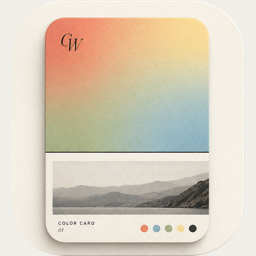
ColorSlurp is a color productivity tool for designers and developers; ColorWander is a photo app that turns pictures into color cards. Both pull colors from photos — what you do next is different.
At a glance
| ColorWander | ColorSlurp | |
|---|---|---|
| Made for | Everyday photos as color cards | Designers and developers |
| From a photo | Six colors, place and time | Pick colors with a magnifier; auto palettes |
| Main output | Cards in 28 layouts; Live Photo | Colors in many formats: CSS, Sass, Swift, ASE, JSON and more |
| Extra | Literary captions; Gallery by color, place and time | Harmonies, iCloud sync with Mac |
| Platforms | iPhone and iPad | iPhone, iPad and Mac |
| Price model | Free, with optional Pro | Free, with in-app purchases |
Competitor details from its App Store listing, checked November 4, 2026. Features and prices change — check the current listing. App Store
Choose ColorSlurp if…
- you need exact color values in code formats;
- you move between Mac and iPhone and want palettes synced;
- you build interfaces or brand systems.
Choose ColorWander if…
- the photo is the point, and the colors should frame it;
- you post to Instagram, Xiaohongshu or stories and want a finished card;
- you collect travel and daily moments by color in a gallery.
Questions, answered
Can ColorWander export color codes?
It shows hex codes on Glass palette and Heritage palette cards, but it doesn’t export code formats like CSS or Swift — that’s ColorSlurp’s job.
Is there a Mac version of ColorWander?
Not at the moment; ColorWander is for iPhone and iPad.