ColorWander Manual
How to use ColorWander: getting started, captions, literary mode, colors and fonts, ratios and export, Live Photo, Gallery, Pro and troubleshooting.
- Quick start — Open ColorWander, choose a photo, pick a layout and export — the whole flow, screen by screen.
- Captions — How ColorWander writes the place and time on your card, what happens without GPS, and how to edit the caption.
- Literary mode — Swap the caption for a line from Chinese or English literature, matched to the hour your photo was taken. 4,366 passages; a Pro feature.
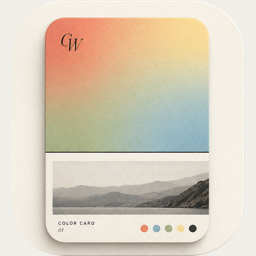
- Colors & fonts — How ColorWander picks six colors from your photo, how to change them, use gradients, blur and film grain, and choose from 39 fonts — all free.
- Ratios & export — The ten card ratios, from 9:19.5 wallpaper to 1.91:1, and export quality: free 2K JPEG, Pro 4K and lossless PNG, transparent backgrounds.
- Live Photo — Export a ColorWander card as a real Live Photo that plays when you press it — sound, crop and frame kept. Free on every layout.
- Gallery — Every card you save is kept in the Gallery on your device — sort by date, filter by color, place, time or layout, and edit it again.
- ColorWander Pro — What ColorWander Pro unlocks — all 28 layouts, Literary mode, 4K and lossless export, no mark — and how the monthly, yearly and Lifetime plans work.
- Troubleshooting — Fixes for common ColorWander issues: missing place names, photo permissions, iCloud photos, Live Photo export, saving, and re-editing cards.
Make your first color cardFree on iPhone & iPad · iOS 16 or later