ColorWander vs Pocket Palette
 By Zhenghao Chen ·
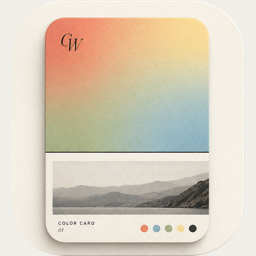
Pocket Palette is a simple, full-featured color studio: capture a color from the world and fine-tune it. ColorWander keeps the photo and makes a card from it. One collects colors; the other collects moments with their colors.
At a glance
| ColorWander | Pocket Palette | |
|---|---|---|
| Made for | Color cards from photos | Capturing and editing exact colors |
| From a photo | Six colors, place and time | Eyedropper on a photo or the live camera |
| Editing | Change palette colors; gradients, blur, grain | Hex, RGB, HSB and an HSB wheel |
| Main output | Cards in 28 layouts; Live Photo | Palettes |
| Platforms | iPhone and iPad | iPhone |
| Price model | Free, with optional Pro | Free, with in-app purchases |
Competitor details from its App Store listing, checked November 4, 2026. Features and prices change — check the current listing. App Store
Choose Pocket Palette if…
- you want to grab a color from a paint chip, fabric or wall and match it precisely;
- you think in Hex, RGB or HSB.
Choose ColorWander if…
- you want the moment, not just the swatch — the photo, its colors, where and when;
- you want something ready to share without opening a design app.
Questions, answered
Does ColorWander use the camera?
No. It works with photos already in your library, including Live Photos.
Can I edit colors precisely in ColorWander?
You can replace any palette color using the system color picker, which includes an eyedropper and exact values.