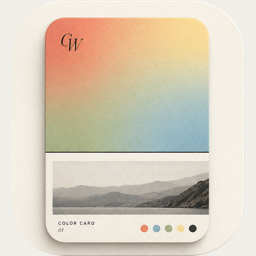
ColorWander vs PhotoColors
 By Zhenghao Chen ·
These two are the closest pair on this list: both turn a photo’s colors into an artistic card and both process photos on the device. The differences are in range and in what the card says.
At a glance
| ColorWander | PhotoColors | |
|---|---|---|
| Made for | Color cards from everyday photos | Artistic cards from your photos’ colors |
| From a photo | Six colors, place and time | Dominant colors, Live Photos and location |
| Card styles | 28 layouts: tickets, postcards, calendars, frames, palettes and more | Vitreous Palette, Bubble Stamps, Moment Cards |
| Words on the card | Place and time, your own text, or literary lines matched to the hour | Curated typography |
| Privacy | Processed on the device; no account | 100% on-device processing, per its listing |
| Price model | Free, with optional Pro (incl. a one-time Lifetime) | Free, with PhotoColors Pro |
Competitor details from its App Store listing, checked November 4, 2026. Features and prices change — check the current listing. App Store
Where ColorWander differs
- Range of layouts. 28 layouts across souvenirs, frames, calendars, posters, palettes and color blocks — see all of them on one photo.
- Captions that write themselves. The place and time come from the photo, and Literary mode adds a line from 4,366 passages.
- Free core. Two layouts are free forever, 12 more are free for a limited time, and Live Photo export is free.
- Lifetime option. Pay once instead of subscribing.
Where PhotoColors may suit you better
If you like its specific card styles — the glass-like palette, bubble stamps and moment cards — try it. Its listing also highlights Live Photos and location in its Moment Cards.
The quickest test
Run the same photo through both and keep the card you’d actually post.
Questions, answered
Do both apps work offline?
Both process photos on the device. ColorWander only goes online to look up the place name and, if you allow it, send anonymous usage statistics.
Which has more layouts?
ColorWander has 28 layouts at version 1.5.0.