Get a color palette from any photo
Drop in a photo to see its main colors as hex codes. Choose 3 to 8 colors and copy them with one click.
Your photo stays in your browser — nothing is uploaded.
How to use it
- Choose or drop a photo (or try the sample).
- Pick how many colors you want.
- Click a swatch to copy its hex code, or copy all.
How it works
The tool shrinks your photo and groups similar pixels together (k-means clustering), then lists the groups from largest to smallest. Bigger groups are the colors that cover more of the picture.
Want a finished card?
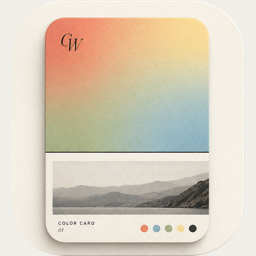
The color card maker turns the same palette into a card. The ColorWander app goes further: 28 layouts, place and time captions and Live Photo cards — see how to make a palette from a photo on iPhone.
Make your first color cardFree on iPhone & iPad · iOS 16 or later