Literary mode: a line of literature for every photo
Swap the caption for a line from Chinese or English literature, matched to the hour your photo was taken. 4,366 passages; a Pro feature.
What it does
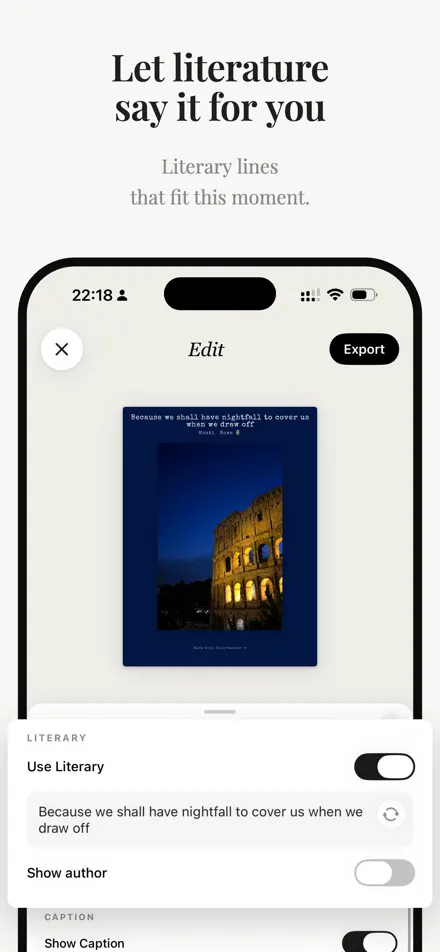
Literary mode replaces the time on your card with a short passage from literature. ColorWander picks one that fits the hour the photo was taken — dawn lines for early photos, evening lines for sunsets.
The library has 4,366 public-domain passages: 1,478 Chinese (also available in Traditional characters) and 2,888 English, across 13 times of day.
Turn it on
Open Text and switch on Use Literary. Literary mode is part of ColorWander Pro; free users see the lock and can unlock it there.
Choose the line
- Tap ↻ for another passage from the same hour.
- Tap the line on the card to write your own; Reset brings back the automatic one.
- Show author adds the attribution, like
—— 李商隐《登乐游原》. - In a Chinese app language you can switch between Chinese and English lines. Other languages use English lines.
Where it appears
The passage takes the place of the time line, up to four lines (eight in horizontal side layouts). Postcard front doesn’t print quotes, and Postcard prints the sentence on its back without the author.