Best color palette apps for iPhone in 2026: 6 picks compared
 By Zhenghao Chen ·
“Color palette app” covers two quite different jobs. Some apps are color tools: you pick exact colors, edit hex values and save swatches for design work. Others are photo apps: they pull a palette out of a picture and turn the photo and its colors into something you can post or keep. Knowing which one you want saves a lot of trial downloads.
Below are six iPhone apps we looked at in November 2026, described from their own App Store listings. All six are free to download with in-app purchases. Ratings and prices change, so check the current listing before you decide.
At a glance
| App | Best for | From a photo | Output |
|---|---|---|---|
| ColorWander | Turning everyday photos into postable color cards | Dominant-color palette, place and time from the photo | Cards in 28 layouts, Live Photo, up to lossless PNG |
| Coolors | Designers building color schemes | Pick colors from your photos | Palettes, exported as image or PDF; photo + palette collages |
| Pocket Palette | Precise color capture and editing | Eyedropper on a photo or the live camera | Palettes with Hex / RGB / HSB editing |
| Color Collect | Collecting real-world colors for reference | Adjustable pick circles, random suggestions | Palettes for design, decor, clothing |
| Palette Republic | Stylized palette overlays | Analyzes the photo’s colors | Palette styles placed on the photo; palette packs |
| PhotoColors | Artistic photo cards | Dominant colors, Live Photos and location | Card styles with curated typography, processed on-device |
1. ColorWander — color cards from everyday photos
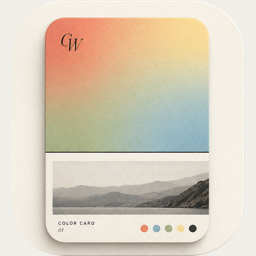
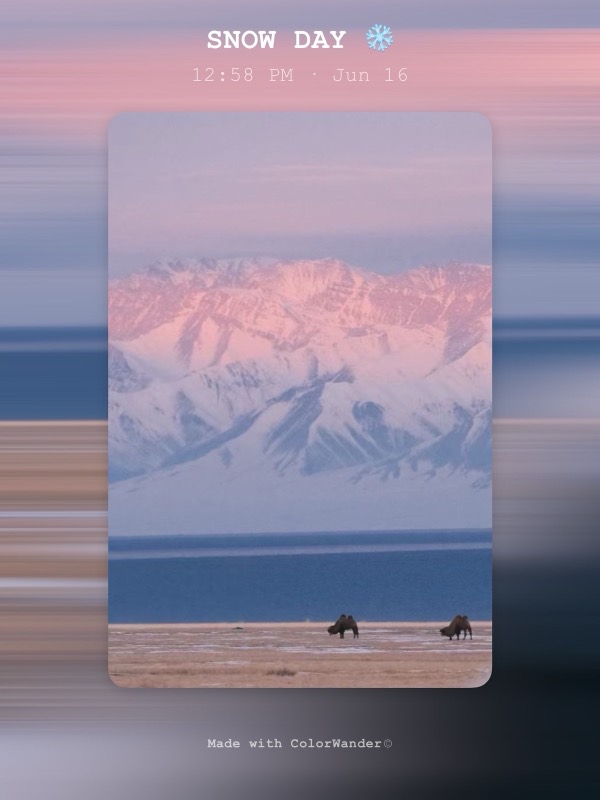
ColorWander (朝色夕拾) reads a photo’s dominant colors, its location and capture time, and lays them out as a card: a band of color, the photo and a caption. There are 28 layouts — color blocks and gradients, ticket, receipt, postcard, travel tag, calendar, Polaroid, film, stamp, perler beads and more — and a Literary mode that swaps the caption for a public-domain line matched to the hour the photo was taken.
- Privacy: photos are processed on the device; no account.
- Export: 2K JPEG free; Pro adds 4K and lossless PNG; Live Photo cards export for free.
- Pricing model: free core layouts; Pro monthly, yearly or a one-time Lifetime purchase.
Choose it if you want something to post or keep, not a swatch library. Full disclosure: this is our app.
2. Coolors — the designer’s palette generator
Coolors is a palette generator with a website and an app. You can create schemes, organize them in projects, pick colors from photos, and export palettes as an image or PDF. It also offers layouts for photo-and-palette collages. Choose it if your palettes are going into design work.
3. Pocket Palette — capture and fine-tune exact colors
Pocket Palette describes itself as a color studio that stays simple: point the camera at anything or eyedrop from a photo, then edit in Hex, RGB or HSB. Choose it when the exact value of a color matters more than how the picture looks.
4. Color Collect — a color picker for the real world
Color Collect lets you move pick circles over a photo to get the shades you want, with random suggestions when you can’t decide. Its listing suggests palettes for slides, social posts, interface design, book covers, home decor and outfits.
5. Palette Republic — palette styles on top of your photo
Palette Republic analyzes a photo’s colors and places a styled palette — split circles, diamonds and more — over it. Extra styles come as palette packs or with a Pro membership.
6. PhotoColors — artistic cards with on-device processing
PhotoColors extracts dominant colors into a “Vitreous Palette”, makes cards with “Bubble Stamps”, and builds “Moment Cards” from Live Photos and location data, with curated typography. Its listing says processing is 100% on-device; premium creations need PhotoColors Pro.
How to choose
- Need hex codes for a project? A color tool — Coolors, Pocket Palette or Color Collect.
- Want the photo itself to look designed? A photo app — ColorWander, PhotoColors or Palette Republic.
- Care where your photos go? Look for on-device processing and no required account in the listing and privacy policy.
- Travel and daily life? Apps that read the photo’s place and time save you typing captions.
The quickest test: pick one photo you like, run it through two or three of these, and keep the one whose result you’d actually post.